Subscribe to the POS
Choose a plan, pay securely and paste the activation code into the POS. No code is issued before payment is confirmed.
Choose plan & add-ons
Supermarket — monthly
Pay month by month
د.أ 20.000/ month
- Up to 1 device(s) / registers
- Barcode checkout & unit stock
- Shifts, returns & X/Z reports
- Updates & support
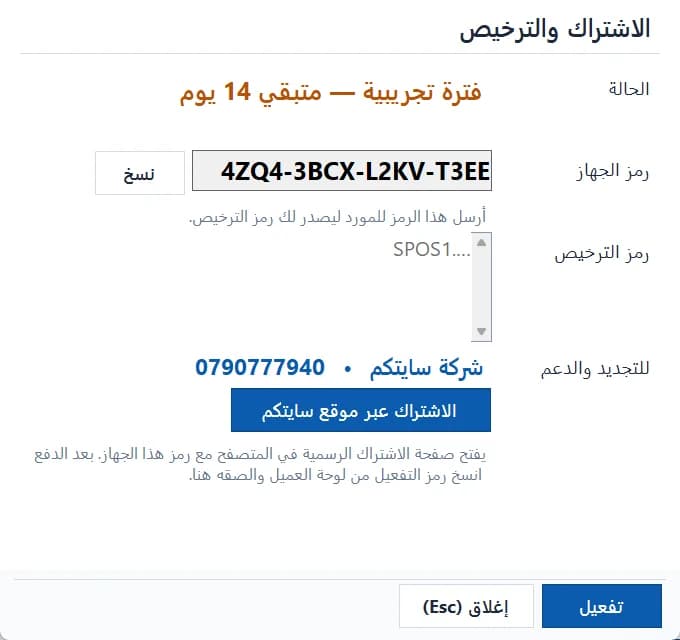
Where is my installation code?
- Open the POS and sign in as the system administrator.
- From the side menu choose “Subscription & license”.
- Click “Subscribe on the Sitekoom website” to open this page with the code, or copy the “installation code” manually.
- After paying, paste the activation code into the same screen and click “Activate”.
Activation works offline and is bound to this computer only.